

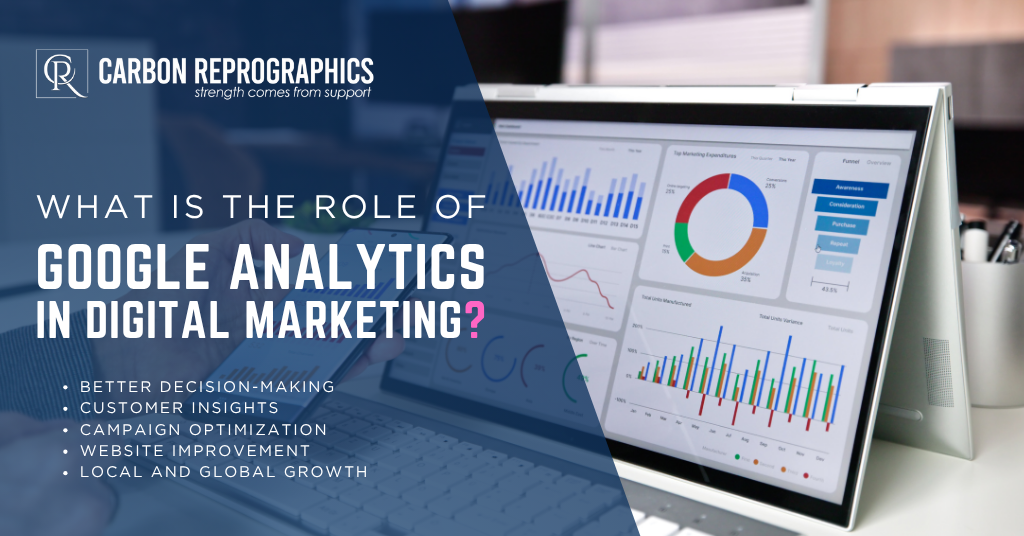
Most businesses put real money into digital marketing. Ads, content, social media, SEO. But without knowing which of those things is actually working, you’re essentially flying blind and hoping the plane lands somewhere useful.
If you’ve ever typed what is Google Analytics in digital marketing into a search bar, the short answer is this: it’s the tool that ends that guessing. Google Analytics digital marketing works by telling you where your website visitors come from, what they do once they arrive, how long they stick around, and whether they take the action you want them to take.
This guide covers what marketing Google Analytics actually means in plain terms, what Google Analytics is used for in digital marketing, how to build a Google Analytics marketing strategy, and what happens to businesses that skip it entirely.
What Is Google Analytics?
Google Analytics is a free web analytics platform built by Google. You install a small piece of tracking code on your website, and from that point on, Google records data about every visit: where the person came from, what pages they viewed, how long they stayed, what device they used, and whether they completed a goal like filling out a form or making a purchase.
The current version is GA4, short for Google Analytics 4. It replaced the older Universal Analytics platform in 2023 and introduced a more flexible, event-based tracking model that works across both websites and apps.
For Google Analytics in digital marketing specifically, it connects the effort you put into your marketing to the actual behavior it produces on your website. Without it, you know you ran a campaign. With it, you know whether it worked.
What Is Google Analytics Used For in Digital Marketing?
In a Google Analytics marketing context, the platform does four core jobs.
It shows you where your traffic comes from. Every visitor arrived from somewhere: organic search, a paid ad, a social media post, an email newsletter, a referral link, or typing your URL directly. Google Analytics breaks all of this down so you know which channels are driving real visits and which ones are producing almost nothing.
It shows you what users actually do on your site. Traffic numbers alone don’t tell you much. What matters is what people do once they arrive: which pages get visited most, how long people spend on each one, where they go next, and where they leave. If visitors consistently land on your services page and immediately leave, that’s a signal worth chasing down.
It tracks conversions and campaign performance. A conversion is any action that matters to your business: a form submission, a phone call click, a purchase, a sign-up. Google Analytics lets you set these up as goals and see how many happen, which pages they come from, and which marketing channels drive them. This is how you connect marketing spend to actual business outcomes.
It tells you what to fix. This is where how Google Analytics helps in digital marketing becomes genuinely clear. When you can see exactly where users drop off in a checkout flow, which blog posts generate leads and which generate nothing, or which ad campaigns drive conversions versus which just drive clicks, you have a clear picture of what to fix and what to scale.
How Google Analytics Fits Into a Digital Marketing Strategy?
Think of Google Analytics for digital marketing as the feedback layer sitting underneath every other part of your marketing.
Your SEO efforts produce traffic. Google Analytics tells you which keywords and pages are driving it and whether those visitors are converting. Your paid ads produce clicks. It tells you which campaigns generate actual leads versus which ones just burn budget. Your content marketing produces page views, and Google Analytics for content marketing tells you which pieces are actually moving people toward a conversion rather than just generating a number that looks good in a report.
Without this feedback loop, every marketing decision is a guess. With it, every decision is informed by what real users actually did on your real website.
A practical example: say you’re running two blog posts targeting similar audiences. One consistently drives visitors who spend four minutes on the page and then visit your services page. The other drives visitors who leave in thirty seconds. Google Analytics makes that difference visible, so you write more content like the first one and rework or retire the second.
That’s how a content marketing strategy built on real data stays focused, instead of drifting based on whoever’s intuition wins the meeting. If you want a Google Analytics marketing strategy built for you, CarbonRepro’s content marketing team builds every campaign around exactly this kind of feedback loop.
Key Metrics That Actually Matter for Marketers
Google Analytics surfaces a lot of data. Here are the ones that matter most for Google Analytics for marketing.
Traffic by channel. Breaks visitors into organic search, paid, social, email, direct, and referral. This is also where Google Analytics for email marketing becomes useful, since it shows exactly how much traffic and how many conversions your email campaigns are actually producing. Use this to see which channels are actually pulling their weight.
Engagement rate. In GA4, this replaces the old bounce rate. It measures the percentage of sessions where a user actually engaged, meaning they visited more than one page, stayed past ten seconds, or completed a conversion event. A low engagement rate on a key landing page is a red flag worth investigating.
Conversion rate by traffic source. This shows which channels bring visitors who take action, not just visitors who show up and leave. Organic search typically converts at a higher rate than social traffic for most service businesses.
Top landing pages. Which pages do most visitors arrive on first? If your top landing page has a high exit rate, visitors are leaving before they explore the rest of your site, and that page needs work.
User demographics and interests. Google Analytics shows the age ranges, locations, and interest categories of your audience. If this doesn’t match who you think you’re targeting, your content or distribution channels may need adjusting.
Goal completions. How many people completed the action you care most about? This is the metric that connects everything else back to actual results, and it’s a big part of Google Analytics and marketing working together instead of sitting in separate reports.
What Is Not a Benefit of Google Analytics Remarketing?
This comes up often as a search question, so it’s worth answering directly.
Google Analytics remarketing lets you build audience lists based on behavior on your site, then target those people with ads on Google’s network. People who visited your pricing page but didn’t convert, for example, or people who added items to a cart but never checked out.
What is not a benefit of Google Analytics remarketing is that it does not guarantee conversions, improve your organic rankings, or replace the need for a solid marketing strategy in the first place. It works best when the underlying product, offer, and landing page are already strong. It’s an amplification tool, not a fix for a broken funnel.
It also doesn’t build new audiences from scratch. Remarketing only reaches people who’ve already visited your site, so if your overall traffic volume is low, your remarketing pool will be too small to produce meaningful results.
How to Use Google Analytics to Increase Traffic and Engagement?
Here’s a practical approach to using Google Analytics for marketing instead of just collecting data.
Start with your traffic sources report. Find which channels send the most engaged visitors. If organic search sends visitors who stay on your site four times longer than social traffic, that’s a signal to invest more in search and less in social posts that drive shallow visits. This is exactly the kind of finding CarbonRepro’s SEO services team uses to redirect budget toward what’s actually converting.
Find your highest converting pages and reverse engineer them. What do those pages have in common? Length, format, topic, call to action placement? Apply those patterns to the pages that underperform.
Look at your exit pages. Where are people leaving your site? If a key page in your conversion flow has a high exit rate, something is breaking the momentum there. It might be slow load time, a confusing layout, a weak call to action, or content that doesn’t match what the visitor expected when they clicked.
Set up conversion tracking before running any paid campaigns. This is one of the most practical answers to how to use Google Analytics for marketing, because running ads without conversion tracking is the fastest way to waste a budget. You need to know which ads produce leads, not just clicks. Connect your Google Ads account to Google Analytics so campaign data and site behavior data live in one place.
Check mobile performance separately. GA4 makes it easy to filter by device type. If your mobile conversion rate is meaningfully lower than desktop, your mobile experience needs attention, especially given how much search traffic now comes from phones.
Review your data on a consistent schedule. Weekly check-ins on traffic and conversions, monthly reviews of channel performance and content results. Analytics only improves your marketing if you actually act on what it shows you. This consistency is one of the main reasons why seo specialists should master Google Analytics rather than treating it as a one-time setup task.
Common Mistakes Businesses Make Without Analytics
Skipping analytics doesn’t just mean missing data. It means making consequential decisions based on nothing at all.
Businesses without it spend money on ads without knowing which ones work. They publish content without knowing what their audience actually reads. They redesign pages based on personal preference rather than user behavior. They blame the wrong channels for poor results and cut the wrong things.
The most common pattern we see: a business has been running paid ads for months, has no conversion tracking set up, and can’t tell you whether those ads produced a single lead. All they know is how much they spent. Google Analytics fixes this, and it’s free. This is really the core of why Google Analytics is important, and why use Google Analytics at all if you’re already spending on ads or content.
For small businesses especially, where every dollar of marketing budget has to work hard, seeing exactly what’s producing results and what isn’t is not a nice-to-have. It’s the difference between a marketing strategy that grows and one that just costs money.
Is Google Analytics Right for Every Business?
Yes, with very few exceptions. If you have a website and run any form of digital marketing, Google Analytics should be installed and configured from day one.
The free version covers everything most small and mid-sized businesses will ever need: traffic data, conversion tracking, audience insights, campaign attribution, and behavior reports, all in one place. This is also part of the importance of Google Analytics for businesses that don’t have a big budget for extra analytics software.
The only case where GA4 alone may not be enough is complex multi-touch attribution across many paid channels running simultaneously. Even then, additional tools layer on top of GA4 rather than replacing it.
For any business investing in SEO, paid search, content marketing, or social media, Google Analytics is the foundation everything else gets measured against. CarbonRepro builds that tracking into every marketing engagement from day one, so results are measurable from the first month rather than guessed at.
FAQs: What is the Role of Google Analytics in Digital Marketing?
What is the significance of Google Analytics in online marketing?
Google Analytics is the foundation of data informed marketing. It tracks user behavior, measures campaign effectiveness, and attributes conversions like sales or leads across SEO, social media, and paid ads, so marketers can see what’s working and put more budget behind it.
What is the benefit of using Google Analytics in improving the performance of a website?
It shows you exactly which pages are underperforming, whether that’s a high exit rate, low engagement, or a weak conversion path, so you know precisely what to fix instead of guessing. This is really the benefit of Google Analytics in one sentence.
What type of data is gathered using Google Analytics?
Traffic sources, user behavior on your site, device and demographic data, and conversion events like form fills, purchases, and sign-ups.
Is Google Analytics helpful to small businesses?
Yes. It’s free, and the standard feature set covers everything a small or growing business needs to track what’s working across its marketing, which is also why google analytics is important for teams without a big budget.
How can analytics help a business achieve marketing success?
By reviewing the data on a regular schedule, testing changes based on what it shows, and putting more budget behind the channels and content that are actually converting rather than the ones that just feel like they should be. This is the whole point of why Google Analytics is used by growing businesses.


 Powered by