

Great content does not rank if the technical work under it is broken. Crawl errors, slow load times, duplicate pages, and bad redirects quietly cap how high you can go. We find these problems and fix them so Google can reach, understand, and rank your site. For the full picture, pair this work with on-page SEO and link building.

Websites Optimized

Technical Audits
SEO Errors Fixed

Speed Optimization

Most ranking problems hide below the surface. A slow page, a broken redirect, or a stray noindex tag will not show up when you browse your site, but Google notices every one. We audit first so we fix what is actually holding you back instead of guessing.
Crawl errors, index coverage problems, sitemap quality, and pages Google skips or should not be indexing.
Duplicate content, wrong canonical tags, and noindex tags placed by mistake.
Redirect chains, dead internal links, and old URLs that lost their destination.
The slow scripts, heavy images, and layout shifts that hurt visitors and rankings.
How pages connect, which ones sit orphaned, and how authority flows. This ties directly into your on-page SEO.
Missing or duplicated titles and descriptions, structured data errors, and mobile usability.
After the audit we rank every issue by impact and fix in that order. We keep monitoring after the fixes go live so new problems get caught early.
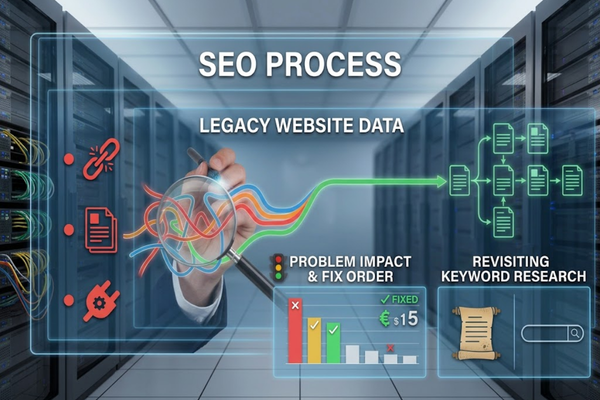
Yes. Older sites carry years of leftover redirects, orphaned pages, and outdated plugins. We map your current structure end to end, rank each problem by its impact on traffic, and fix the costly ones first instead of everything at once.
A legacy cleanup is also a good time to revisit your keyword research, since older sites are often built around terms that no longer match how people search.

A good agency fixes the errors that matter first and shows you before and after data. We rank crawl errors by the pages affected, the traffic those pages get, and how much crawl budget is wasted, then start with the highest impact fixes.
Crawl errors range from minor to serious, and treating them all with the same urgency wastes time. See the most common technical SEO errors we run into for examples.
measures how long your main content takes to appear. Good is 2.5 seconds or less. We compress and resize hero images, preload key files, and remove code that blocks rendering.
measures how quickly the page responds when someone taps or clicks. Good is 200 milliseconds or less. We cut heavy JavaScript, break up long tasks, and trim third-party scripts.
measures how much the page jumps while loading. Good is 0.1 or less. We set image and embed dimensions, reserve space for ads, and stop late-loading fonts from moving text.
measures when the first piece of content shows up. Good is 1.8 seconds or less. We reduce render-blocking CSS and scripts so visitors see something quickly.
measures how fast your server starts responding. Good is 0.8 seconds or less. We look at hosting, caching, a CDN, and slow plugins or database queries.
These are server responses that tell Google what happened to a URL. A 404 means the page was not found, a 301 means it moved permanently, and a 500 means the server failed. Each needs a different fix, and the wrong one can waste crawl budget or drop pages from the index.
What is a 404 error, and does it hurt SEO?
A 404 means the page does not exist at that URL. A few 404s are normal and do not harm the rest of your site. The problem is a 404 on a page that has backlinks, traffic, or internal links pointing to it. We find those first, then redirect them or restore the page. If a page is gone for good and has no close replacement, a 410 tells Google it was removed on purpose. We also watch for soft 404s, which are thin or empty pages that load normally but that Google treats as missing.
When should I use a 301 redirect?
Use a 301 when a page has moved permanently and a close replacement exists. It sends visitors and most ranking signals to the new URL. Redirect to the most relevant page, not the homepage, and keep chains short, because every extra hop slows crawling and can lose signals. Common 301 jobs include site migrations, merging duplicate pages, switching to HTTPS, and sending the www version of your site to one preferred version. We also fix redirect chains and loops, and use a 302 only when a move is truly temporary.
What does a 500 error mean for SEO?
A 500 error means your server failed to deliver the page. One brief error is usually harmless, but repeated 500s make Google crawl your site less and can drop affected pages from results. We trace the cause, often a plugin, a PHP error, or an overloaded server, and fix it at the source. For planned downtime, we use a 503 response so Google knows to come back. We also set up Search Console alerts so server errors get caught early instead of piling up.
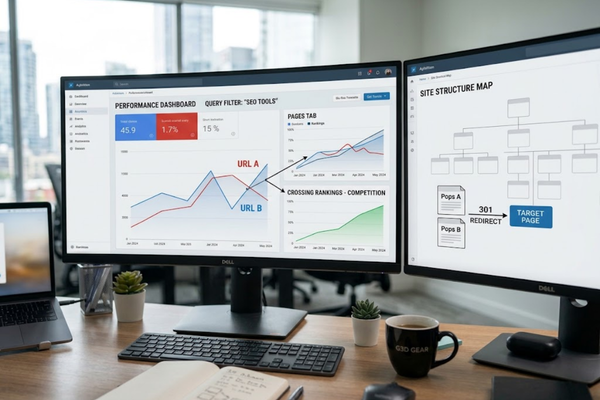
Keyword cannibalization happens when two or more pages on your site target the same search intent, so they compete with each other. Google may rotate between them or rank neither well. We confirm it in Search Console, then merge, redirect, or retarget the pages so each has one clear job.
Two pages ranking for the same word is not always a problem. What matters is whether they answer the same question. Here is how we sort it out:
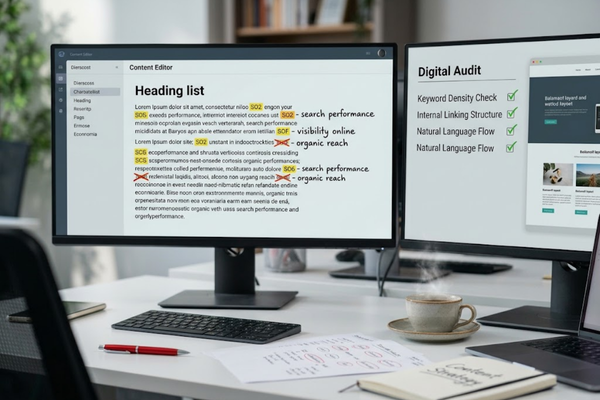
Over-optimization means pushing keywords or SEO tactics past what helps readers. Examples are repeating the same phrase in every heading, stuffing it into titles, and using identical anchor text for every link. It makes pages read poorly and can trigger spam signals. We write for people first and keep keyword use natural.
During an audit we look for:
Then we rewrite or consolidate so each page reads like a person wrote it for a person.
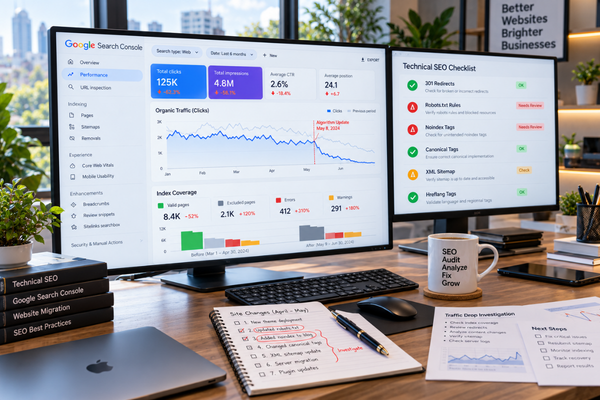
Yes. Speed problems and ranking problems often share causes like heavy scripts, oversized images, and bloated themes. Our SEO team finds the issues and works with our website development team to fix them in one pass, so you are not coordinating two vendors.
We look at every technical layer, from speed to index bloat to gaps in your crawl path.
Your plan fits your platform and goals, not a generic checklist.
We move quickly and test changes so your site stays stable while we work.
We keep watching after the fix, so problems get caught early instead of compounding.
Technical SEO services fix the parts of your website that stop search engines from crawling, indexing, and ranking your pages. That includes site speed, crawl errors, broken links, duplicate content, and structured data. It is foundational work, because even strong content struggles to rank on a broken technical base.
A technical SEO audit checks crawl errors, index coverage, sitemaps, redirects, canonical and noindex tags, internal links, site structure, duplicate pages, mobile usability, structured data, and Core Web Vitals. You receive a prioritized list of fixes ranked by how much each one affects your traffic, not a long unsorted report.
Some fixes, such as removing an accidental noindex tag, can show up within weeks once Google recrawls the page. Speed and structure improvements usually build over a few months. Timing depends on your site size and how often Google visits it, and no agency can promise a specific ranking.
Yes. Large sites need crawl budget and indexing priorities, and JavaScript sites need a check that Google can render key content. We audit both, rank fixes by impact, and document what changed. Scope depends on site size and platform, so we start with a short review.
Yes. We are based in Houston and work with businesses here and in other cities. The audit and fix process is the same, and local clients can pair it with our local SEO services.
Yes. We monitor crawl and index health, speed, and errors after launch and flag problems early. You can keep us on monthly or hand the checklist to your own team.
Book a strategy call and tell us what you are seeing, such as lost traffic, slow pages, or indexing errors. We review your Search Console data and outline where an audit would start.

We’ve got more answers waiting for you! If your question didn’t make the list, don’t hesitate to reach out.
Get In Touch With Our ExpertsTechnical problems compound quietly until they cap everything else you do. Let us find what is holding your site back and fix it.
Adding {{itemName}} to cart
Added {{itemName}} to cart
 Powered by