

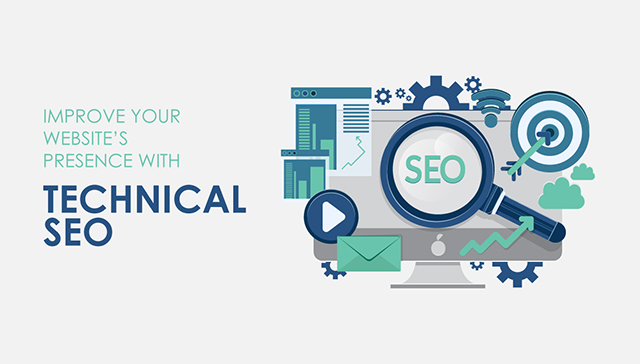
What Is Technical SEO? (And Why It Matters for Your Website)
You can write excellent content, earn strong backlinks, and still watch your website sit on page three of Google, going nowhere. In a lot of cases, the reason is technical.
Technical SEO is the work that happens underneath your content. It makes sure Google can actually find your pages, read them correctly, and serve them to people searching for what you offer. When these technical foundations are broken or missing, even a well-written, well-optimized website struggles to rank.
This guide explains what technical SEO is in plain terms, what it actually includes, why it matters, and how to know if your site has problems worth fixing.
What Is Technical SEO in Simple Terms?
Technical SEO is the process of making your website easy for search engines to crawl, understand, and index.
Google uses automated bots called crawlers to explore the internet. They visit your website, read your pages, and decide how to categorize and rank them. Technical SEO is about removing anything that gets in the way of that process and making sure your site gives Google every signal it needs to rank you with confidence.
In practical terms, technical SEO covers things like how fast your pages load, whether your site works properly on mobile devices, whether Google can access all your important pages, how your URLs and site structure are organized, and whether your pages contain errors or duplicate content that confuses the crawlers.
If you think of your website as a physical store, technical SEO is the equivalent of making sure the store is easy to find, the doors open properly, the lights work, and customers can navigate the aisles without getting lost. No matter how good your products are, a broken storefront sends people away before they ever see them.
What Is Technical SEO in Digital Marketing?
In a digital marketing context, technical SEO is the foundation that everything else sits on.
Your content marketing, paid advertising, and social media campaigns all eventually send people to your website. If that website is slow, poorly structured, or has indexing problems, every dollar and hour you spend on those other channels underperforms. A landing page that takes five seconds to load loses a significant portion of visitors before they ever read a word of your copy. A page that Google cannot index does not rank regardless of how good the content is.
Technical SEO is also increasingly connected to user experience. Google’s ranking systems now measure how people actually interact with your pages through a set of metrics called Core Web Vitals. These measure how fast your page loads, how quickly it becomes interactive, and how stable the layout is while loading. Pages that perform poorly on these metrics rank lower than pages that perform well, even when the content is comparable.
This means technical SEO improvements directly improve both search rankings and conversion rates at the same time, which makes it one of the highest-return investments in any digital marketing strategy.
What Does Technical SEO Actually Include?
Technical SEO covers several interconnected areas. Here is what each one means and why it matters.
Crawlability
Before Google can rank a page, it has to be able to find and read it. Crawlability is about making sure nothing blocks Google’s crawlers from accessing your important pages.
Common crawlability issues include robots.txt files that accidentally block important sections of your site, pages that are orphaned with no internal links pointing to them, redirect chains that make crawlers loop through multiple URLs before reaching the final destination, and crawl budget waste where Google spends its limited time on your site reading unimportant pages instead of important ones.
Indexability
Finding a page and indexing it are two different things. Google might crawl a page but choose not to add it to its index if it detects duplicate content, a noindex tag placed incorrectly, thin content, or canonicalization issues that signal the page is a copy of another URL.
Indexability problems are particularly common on e-commerce sites where product filtering, sorting parameters, and pagination create hundreds of near-identical URLs that confuse Google about which version to rank.
Page Speed and Core Web Vitals
Google measures three specific performance signals under its Core Web Vitals framework.
Largest Contentful Paint (LCP) measures how long it takes for the main visible content of a page to load. Google wants this under 2.5 seconds. Slow LCP is usually caused by unoptimized images, slow server response times, or render-blocking scripts.
Interaction to Next Paint (INP) replaced the old First Input Delay metric in 2024. It measures how quickly your page responds to user interactions like clicks and taps. Poor INP is usually caused by heavy JavaScript execution.
Cumulative Layout Shift (CLS) measures how much your page layout moves around while loading. Pages that shift content unexpectedly as images and ads load create a poor experience and score poorly on this metric.
Fixing Core Web Vitals typically involves compressing images, implementing lazy loading, improving server response time, and reducing the amount of JavaScript that executes before the page becomes usable.
Mobile Usability
Google uses mobile-first indexing, which means it evaluates and ranks your website based on how it performs on a mobile device, not a desktop. If your mobile experience is broken, your rankings suffer regardless of how well your desktop site performs.
Mobile usability issues include text that is too small to read without zooming, buttons and links placed too close together for a finger tap, content wider than the screen, and interactive elements blocked by other page elements.
Site Architecture and Internal Linking
How your website is structured matters to Google. A clear hierarchy where your homepage links to main category pages, which link to individual content pages, gives Google a logical map of your site and helps it understand which pages are most important.
Internal linking also distributes authority across your site. Pages with no internal links pointing to them are effectively invisible to Google even if they are technically accessible. A strong internal linking strategy ensures every important page receives link equity from other pages on your site and can be found efficiently during a crawl.
HTTPS and Site Security
Google has used HTTPS as a ranking signal since 2014. Any website still running on HTTP is at a disadvantage. Beyond the ranking signal, browsers now flag non-HTTPS sites as “not secure,” which increases visitor abandonment rates before a page even loads.
Security issues beyond HTTPS, such as malware infections or hacked content, can result in Google removing your pages from search results entirely until the issue is resolved.
Structured Data
Structured data is code you add to your pages that helps Google understand what the content is about in a specific, machine-readable format. It does not directly improve rankings, but it enables enhanced search result features like star ratings, FAQ dropdowns, product prices, and event details appearing directly in the search results page.
These enhanced results, called rich results, significantly improve click-through rates because they make your listing more visually prominent and informative than a standard blue link result.
Duplicate Content and Canonicalization
When multiple URLs on your site contain the same or very similar content, Google has to decide which version to rank. It often makes the wrong choice, or splits the ranking signals between versions, weakening all of them.
Canonical tags tell Google which version of a URL is the definitive one. Proper canonicalization ensures your ranking signals consolidate on the right page rather than diluting across duplicates.
How to Do a Basic Technical SEO Audit?
You do not need expensive tools to start identifying technical issues on your website. Here is a practical starting point.
Google Search Console is free and gives you direct data from Google about your site. Check the Coverage report to see which pages are indexed and which are excluded and why. Check Core Web Vitals to see how your pages score on Google’s performance metrics. Check the Mobile Usability report for any pages with mobile issues. Review Crawl Stats to understand how efficiently Google is crawling your site.
Google PageSpeed Insights is also free and tests any URL for performance. It gives you a score for both mobile and desktop and lists specific issues to fix in order of impact.
A site crawl tool like Screaming Frog (free up to 500 URLs) mimics how Google crawls your site and surfaces broken links, redirect chains, missing meta tags, duplicate content, and pages with indexing issues. Running a crawl of your site and reviewing the output gives you a detailed picture of what needs fixing.
Once you have this data, prioritize fixes in this order: indexing issues first (pages Google cannot access cannot rank at all), then Core Web Vitals and page speed, then mobile usability, then duplicate content and canonicalization, then structured data enhancements.
What Is Technical SEO for Hotels? (A Practical Example)
Hotel websites face a specific set of technical SEO challenges that illustrate why this work matters in practice.
A typical hotel site has room pages, location pages, amenity pages, and a booking engine. The booking engine alone can generate thousands of URL variations based on check-in dates, room types, number of guests, and filters. Without proper URL parameter handling, Google attempts to crawl all of these variations as unique pages, wastes its crawl budget on near-duplicate content, and struggles to identify which room pages to rank.
Hotel gallery images are also typically large and unoptimized, creating slow page load times that hurt both rankings and booking conversion rates. A room page that takes six seconds to load loses a significant percentage of potential guests before they ever see the images.
Technical SEO for hotels focuses on controlling which URLs Google crawls and indexes, implementing proper canonical tags on room and location page variants, compressing and lazy-loading gallery images, adding structured data for hotel properties and room details, and making sure location pages are well-linked and clearly organized for both crawlers and guests.
The same category of problems appears in e-commerce, real estate, and any site with large amounts of programmatically generated pages. The solution is always the same: give Google a clear, clean, efficient path to your most important content.
What Does a Technical SEO Specialist Do?
A technical SEO specialist identifies and fixes the backend issues that prevent a website from ranking well. Their work sits at the intersection of SEO knowledge and web development. While they do not always write the code themselves, they need to understand how code works well enough to diagnose problems and communicate fixes to developers clearly.
Day to day, a technical SEO specialist runs site crawls, analyzes Google Search Console data, identifies crawl and indexing errors, audits page speed and Core Web Vitals, reviews site architecture, implements or guides the implementation of structured data, manages redirects, and monitors for new technical issues that emerge as the site changes over time.
For businesses without in-house technical expertise, professional technical SEO services handle this ongoing work as part of a broader SEO strategy.
How Long Does Technical SEO Take to Show Results?
Technical SEO improvements can produce ranking changes faster than content or link building in some cases, because you are removing barriers that were actively blocking Google rather than building new authority from scratch.
Fixing a crawlability issue that was blocking Google from accessing key pages can produce ranking movement within weeks once Google recrawls the site. Page speed improvements that lift Core Web Vitals scores from poor to good can improve rankings within one to two Google algorithm refresh cycles. Resolving large-scale duplicate content and canonicalization issues on an e-commerce site can take longer because Google needs to recrawl and re-evaluate all affected pages before the changes fully take effect.
The most accurate way to measure impact is to track index coverage, Core Web Vitals scores, crawl error counts, and organic impressions in Google Search Console before and after fixes. Improvements in those metrics precede ranking and traffic improvements and confirm the work is moving in the right direction.
If you are not sure where your site currently stands on any of these technical factors, a free SEO audit is the fastest way to get a clear picture of what is holding your rankings back.
FAQs:
How can I implement technical SEO effectively to improve my website’s performance and rankings?
You can implement technical SEO effectively by following these steps:
- Conduct regular audits
- Optimize site speed
- Secure the site with HTTPS
- Ensure a mobile-friendly interface
- Build a clear site architecture with strong internal links
- Consistently monitor website status in Search Console
- Stay up-to-date on trends and updates
Why should I optimize my site technically?
You should optimize your site’s technical setup because it helps Google crawl and index your pages, improves speed and UX, and enhances security. This often leads to better rankings and more organic traffic.
What is the technical seo checklist?
A technical SEO checklist is a list of tasks used to improve crawlability, indexability, speed, mobile usability, security, and structured data. It helps ensure no important technical issues are missed during audits.
How to do an SEO audit for a client?
Start with a crawl, check indexing in Google Search Console, review Core Web Vitals, test mobile usability, inspect redirects and broken links, and review structured data. Then create a prioritized action plan with clear fixes and validation steps.
How can I track the Performance for Technical SEO?
Track technical SEO performance using metrics such as Core Web Vitals, crawl errors, index coverage, and page speed. Use technical SEO monitoring in Google Search Console to spot drops and fix issues quickly.
What is techincal SEO?
“Techincal” is a common misspelling of technical SEO. It means the same thing: improving your website’s backend and technical setup so search engines can crawl, index, and rank your pages more effectively.
How to do technical SEO step by step?
To do technical SEO step by step, start with a technical audit, fix crawl errors, improve page speed, optimize mobile usability, submit a sitemap, and monitor results using Google Search Console.
Ending Remarks
Mastering technical SEO is essential for improving a website’s performance in today’s competitive digital era. It involves optimizing backend elements such as site structure, page speed, and security to improve visibility and the user experience. While challenges like algorithm updates and ongoing maintenance exist, a clear technical SEO strategy and consistent implementation can improve rankings and organic traffic.
By staying proactive, conducting regular audits, tracking technical SEO metrics, and following technical SEO monitoring routines, businesses can keep websites optimized for long-term success in search results.



 Powered by