

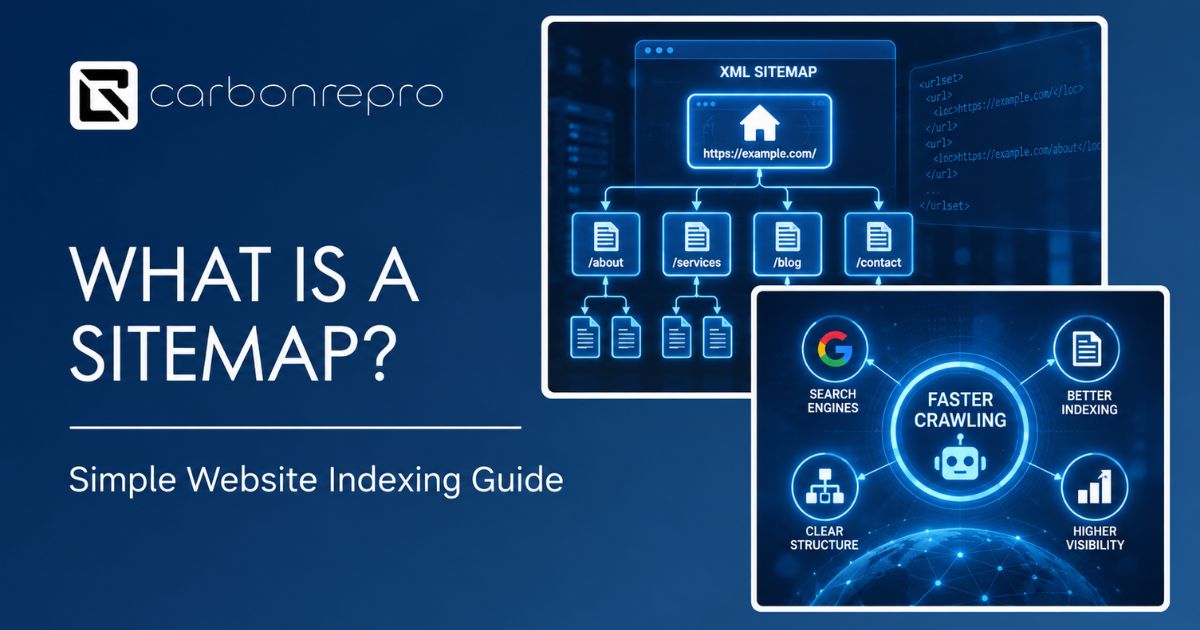
If search engines cannot find all the pages on your website, those pages might as well not exist. A sitemap solves that problem by handing search engines a clear list of every page you want them to know about.
This guide explains what a sitemap is, the two main types, and why almost every website benefits from having one.
What Is a Sitemap?
A sitemap is a file that lists the pages on your website, helping search engines find, crawl, and understand your site’s structure. Think of it as a map you hand to Google, showing exactly where everything lives so nothing important gets missed.
What Are the Two Types of Sitemaps?
The word “sitemap” actually covers two different things, and mixing them up causes a lot of confusion.
XML Sitemaps
An XML sitemap is built for search engines. It lists your important URLs along with details like when each page was last updated. This is the version people usually mean when they talk about sitemaps for SEO, and it typically lives at a web address like yoursite.com/sitemap.xml.
HTML Sitemaps
An HTML sitemap is built for human visitors. It is a simple page on your website listing links to your other pages, similar to a table of contents. These are far less common today, since most modern websites rely on clear navigation menus instead.
Why Does Your Website Need a Sitemap?
It Helps Search Engines Find Every Page
Search engines discover most pages by following links from one page to another. If a page is not linked from anywhere else on your site, or sits several clicks deep in your navigation, a sitemap gives search engines a direct path to it anyway.
It Speeds Up Indexing for New and Updated Content
When you publish a new page or update an existing one, a sitemap can help search engines notice the change faster, rather than waiting to stumble across it during a routine crawl.
It Is Especially Useful for Larger or Newer Websites
Google has said that small websites with clean internal linking may not strictly need a sitemap. That said, having one causes no downside, and it becomes genuinely important once a site grows large, gets a new domain, or updates content frequently.
It Helps You Spot Structural Problems
Reviewing your sitemap regularly can reveal pages that got orphaned, duplicated, or accidentally left out, issues that are much harder to catch just by browsing the site normally.
Does Every Website Actually Need One?
Google itself has said that a well-linked, small website does not strictly require a sitemap to get indexed. In practice, though, most content management systems like WordPress generate one automatically, so there is rarely a good reason to skip it. It is one of the lowest-effort, lowest-risk technical SEO steps a website can take.
How Do You Set Up a Sitemap?
Generate It Automatically
Most SEO plugins, including Rank Math and Yoast on WordPress, generate and update your XML sitemap automatically as you publish new pages. This is the easiest path for most businesses.
Keep It Clean
Your sitemap should only include pages you actually want indexed and ranked. Leave out pages like internal search results, thank-you pages, or duplicate content that adds no value to a searcher.
Submit It to Search Console
Once your sitemap exists, submit it through Google Search Console so Google knows exactly where to find it. This also lets you monitor how many of your submitted pages actually get indexed.
Keep It Updated
A sitemap loses value if it lists pages that no longer exist or leaves out pages you have added since. Most automated sitemaps update themselves, but it is worth checking periodically, especially after a big content cleanup.
Common Sitemap Mistakes
Including pages that should not be indexed. A sitemap full of thin, duplicate, or low-value pages can hurt more than help, since it signals those pages as important when they are not.
Never submitting it to Search Console. A sitemap that exists but is never submitted does not get the full benefit, since Google has to find it on its own.
Letting it go stale after a site redesign. A sitemap still listing old URLs after a redesign or migration can send search engines down broken paths.
Assuming a sitemap fixes bad internal linking. A sitemap helps search engines find pages, but it does not replace clear navigation and internal links that help both visitors and search engines understand how your pages relate to each other.
Frequently Asked Questions
What is a sitemap?
A sitemap is a file that lists the pages on your website, helping search engines find, crawl, and understand your site’s structure. It works like a map handed directly to search engines.
What is the difference between an XML sitemap and an HTML sitemap?
An XML sitemap is built for search engines and lists your URLs with technical details. An HTML sitemap is a page built for human visitors, listing links similar to a table of contents.
Does my website need a sitemap?
Most websites benefit from having one, especially larger sites, newer sites, or sites that update content often. Small, well-linked sites may not strictly need one, but there is no real downside to having it.
How do I submit a sitemap to Google?
You submit your sitemap’s URL through Google Search Console, which lets Google find it directly and lets you track how many submitted pages actually get indexed.
Can a sitemap hurt my SEO?
A sitemap itself will not hurt your SEO, but including low-quality, duplicate, or unwanted pages in it can send the wrong signal about which pages matter most on your site.
Want Help Cleaning Up Your Website’s Technical SEO?
Carbonrepro handles sitemap setup and cleanup as part of our technical SEO and broader SEO services. If you are also dealing with duplicate or overlapping pages, our guide on content silos covers the structural side of that problem. Reach out and we can review your current sitemap and indexing status together.




 Powered by